 Menu
Menu
I have been using SVN with Eclipse for ages without problems. But suddenly, one project is not working properly, even though others are fine.
When I try to update I get this:
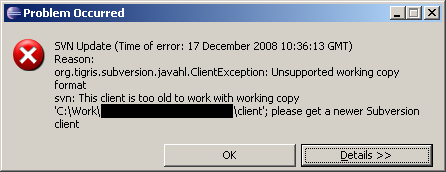
In the Eclipse log I see: U
nsupported working copy format svn: This client is too old to work with working copy 'C:\Work\xxxxxxxxxxxx\client'; please get a newer Subversion client
Any ideas? I can't see how to update the SVN plugin even if it is too old...
 759
759
At some point, someone ran a SVN comment on your sandbox using a client that uses a newer fromat than your plugin (probably a Subversion 1.5 client where you had previously been using 1.4).
If you don't update your client/plugin, you can checkout your sandbox again using your preferred client/plugin, or use the change-svn-wc-format.py script, as detailed in the Subversion 1.5 release notes, under Working Copy and Repository Format Changes.
142
If you love us? You can donate to us via Paypal or buy me a coffee so we can maintain and grow! Thank you!
Donate Us With

